

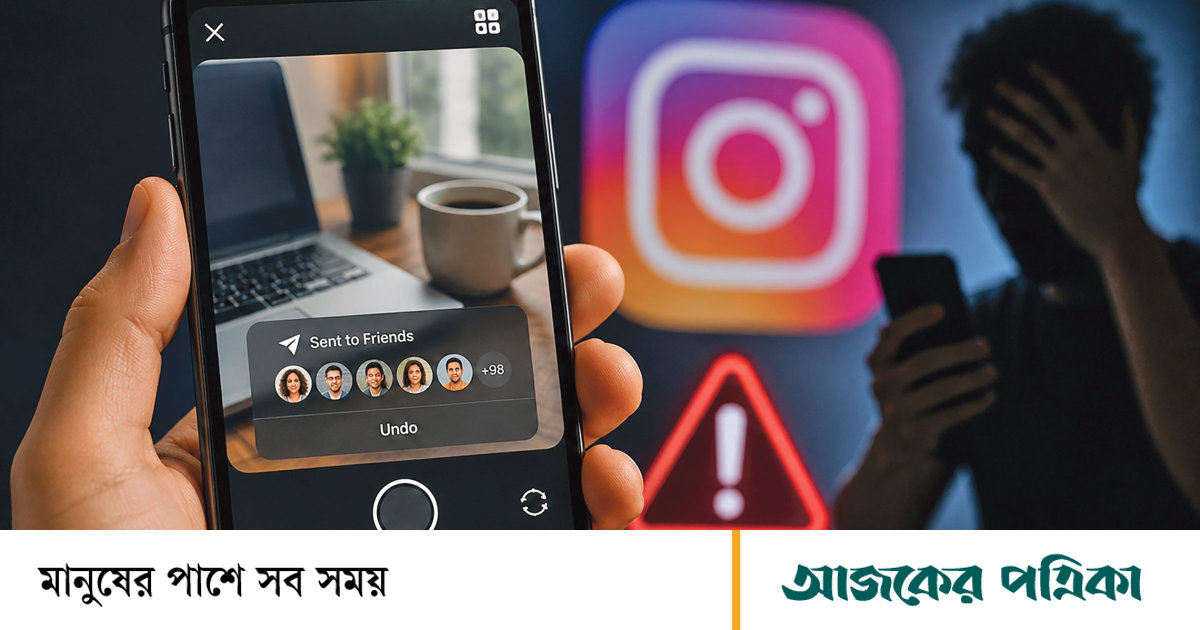
Social media platform Instagram has launched a brand new feature called ‘Instants’ for its users worldwide. According to Meta, this initiative is for users to share their real-life moments instantly without any filters or artificiality. But the weird and complicated design of the feature has left many users around the world extremely uncomfortable and many are looking for a way to turn it off. If you also don’t want to be embarrassed by this feature, hide or turn it off from quick settings.
How to turn off the feature completely
If you want to completely remove the feature from Inbox to avoid this inconvenience, follow these steps—
- Go to Instagram profile.
- Access Settings by clicking on the sandwich menu at the top right.
- Scroll down and click on the ‘Content Preferences’ option.
- Now toggle or enable the ‘Hide Instants in Inbox’ option.
After enabling this option, the Instants feature will disappear from your inbox. Also, if someone else sends you an instant, it will no longer reach you. If you don’t want to turn it off completely, you can temporarily stop it coming by holding down a stack of instances or files in the inbox and swiping right.
What to do if photos are accidentally deleted
If you’ve already taken a photo by mistake, there are two ways to delete it before people on your friendlist see it.
- Quick way: Tap the shutter button as soon as you take the picture, an ‘undo’ option appears just below the button. A quick click there will instantly retract or unsend the image. However, many people may not notice the button as the incident is sudden.
- Delete from archive: If you miss to ‘undo’ an instant, go to your archive by clicking the four box icon in the top right corner of the ‘Instants’ camera. Delete the image sent from there. For those who haven’t opened the image yet, it will be unsent from their inbox.
Why risk misunderstandings and privacy
Usually, after taking a photo on Instagram, you need to review it, add filters or captions, then post or send it. But with the ‘Instants’ feature the entire process is reversed and instant. This feature is activated by tapping on the ‘Mini Photo Stack’ icon in the lower right corner of the Instagram inbox. After opening the camera, there is a shutter button below and below that there is an option to select ‘Friends’ and ‘Close Friends’. By default it is set to ‘Friends’ mode. Meta doesn’t make it clear to users that the photo will automatically go to everyone on your friends list as soon as they tap the shutter button. There is no opportunity to re-review or confirm. As a result, many people are inadvertently sending photos to everyone on their friend list while taking normal photos; Which makes personal privacy vulnerable.
Source: TechCrunch

