


Los tablets They have become one of the most complete devices on the current market. Their ability to combine lightness with performance that stands up to many laptops makes them attractive. They are used for everything: from taking notes in class to editing professional video, managing social networks and even enjoying games. However, all this combination of options usually generates quite a few doubts when buying one.
As if that were not enough, the enormous variety of models available complicates the choice even more. The large technology firms offer high-end options, but there are very competitive second brands that offer cheaper alternatives and are hot on their heels. With so much catalogue, screwing up during the choice It is extremely easy. If you are not clear about your priorities before jumping into one, it is very likely that you will end up with a model that does not meet what you expected. To get it right, it is very helpful to know the most common mistakes made when buying a tablet.
Not paying attention to internal storage space
Storage capacity is usually seen as a simple number on the technical sheet, but underestimating the space you will need in the medium term is a mistake. classic. Entry models usually come with very limited capacities and, if you are looking to save as much as possible, it is tempting to convince yourself that it is not worth paying more to have more gigabytes.
Currently used applications and media files are installed directly to the device’s internal memory. It’s true that you could connect an external hard drive, but that would completely ruin the portability of the device while you use it. That is why it is vital know in advance what you will do with the tablet.
Although there are models that allow memory expansion by microSD cardsin the vast majority of cases you will stay forever with the capacity you choose at the time of payment. It is important to keep in mind that the operating system itself already occupies a very significant part of the space, so stretching at least up to 128 GB is the smartest.
Advice: A good way to calculate what you need is to review your current devices, check how much space you have occupied and compare it with the use you are going to give to the new equipment.
Wrong operating system
Although there are not many operating systems in this sector, the choice Software development is often done impulsively and without reflection. Therefore, things must be clear. For example, iPhone or Mac users will discover features in the gama iPad that allow you to work in a completely unified way. In addition, the Apple ecosystem has a highly optimized application store for this format.
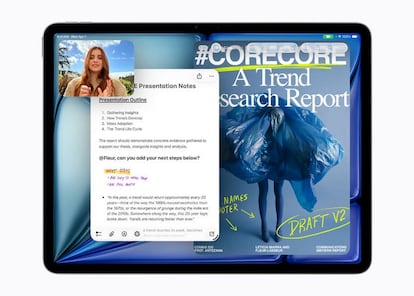
On the other hand, Android models stand out especially for their great compatibility and freedom of customization. Various top brands use this system, and there are also manufacturers that offer much more affordable options for tight budgets. The ideal is not to make the mistake of spending a fortune based solely on the operating system if your needs They are basic. It should be mentioned that the software also determines the productivity tools to which you will have access.
Purchase a WiFi-only version
Know exactly where are you going to use the device It is as relevant as being clear about what you are going to use it for. Most buyers automatically choose the version with exclusive WiFi connectivity, but many should consider making the jump to the versions with access to mobile data. If your plan is to use exclusively the sofa at home, the first type will not cause the slightest inconvenience. But if you usually work in mobilitydepending on public cafeteria or transport networks can leave you hanging at the least opportune moment.

Add mobile data connectivity increase the budget. However, for anyone who needs to telework while constantly on the move, going without this feature can be a critical mistake. Having independent data gives you the freedom to get the most out of the device from any corner.
Invest in benefits that you are not going to take advantage of
The market is saturated with top devices with spectacular performances that directly rival high-end laptops. The screens have also grown significantly, reaching 13 inches in Apple’s professional ranges. However, for the vast majority of people, everyday use does not require the processing power of the most modern chips, nor gigantic screen surfaces, nor cutting-edge features that make the final product more expensive.
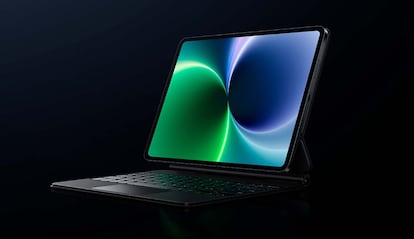
Even mid-range models can offer more power than the average user will squeeze out. Buying more than real needs will consume a part of your budget that you could invest in paid applications, a wireless keyboarda digital pen or protective cases. This error is avoided by being totally honest with yourself. Someone looking to spend quiet afternoons reading an e-book is not going to require the processing speed that a video editor demands. To give an example.
Forget the budget for accessories
Technology improves exponentially when accompanied by the right accessories. There are many accessories with a USB type C connection that expand the possibilities of the tabletand tools like styluses make drawing and creative tasks much more precise. Plus, as today’s power blurs the lines with computers, adding a good keyboard is an inexpensive way to completely transform your device into a portable work computer.
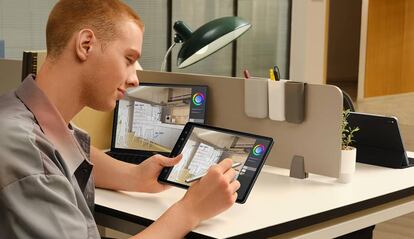
The most recommended thing when buying a tablet is reserve part of the money for this purpose. Protective elements such as cases, cases with stands and screen protectors are essential to ensure that the device is resistant to the passage of time and suffers less wear and tear. With all that said, make sure before processing the order that you choose balanced specifications that meet your expectationsbut always keeping an economic margin to equip it as it deserves.

